Add your JPG or JPEG photos below — the output is already set to JPEG at quality 78, a good balance for photos. Drag the quality slider down for smaller files, or switch to Max file size to hit an exact KB limit for a form or upload.
How much it saves depends on the photo: our 2250×1500 test photo went from 2.82 MB to 520 KB at quality 75 (measured results below). Everything runs on your device — nothing is uploaded — and location data (EXIF/GPS) is removed.
🔥
Your savings so far: 0 photos · 0 KB saved
🌍0 photos compressed worldwide · 0 MB saved
Drop photos here, or click to choose
Batch-compress, resize, crop, rotate, watermark, and convert formats — right in this tab.
JPEG · PNG · WebP · HEIC · AVIF (where supported) — your photos never leave this browser tab
No photos yet
Nothing here yet — add photos above to get started.
Works on a plain, single-colour background only.
Upload a photo
You'll crop it to the exact aspect ratio next.
0/0
Deterministic checks
Size, resolution, format and file size.
Printable sheet
How much smaller does a JPG get? (measured)
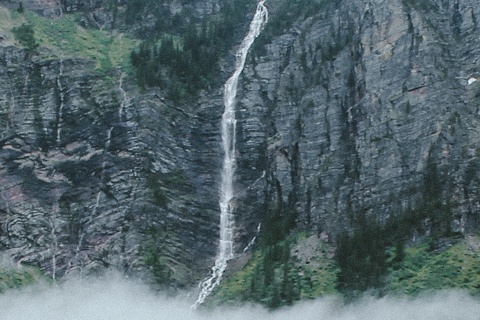
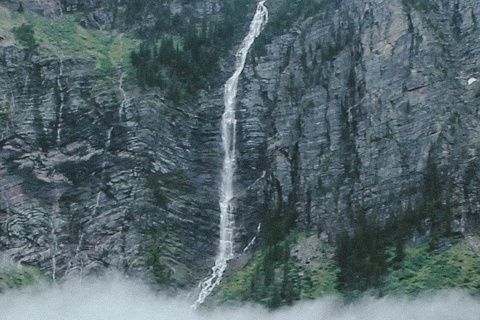
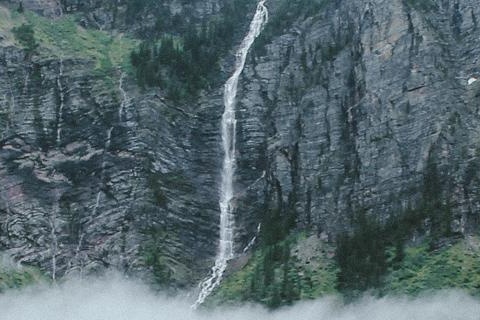
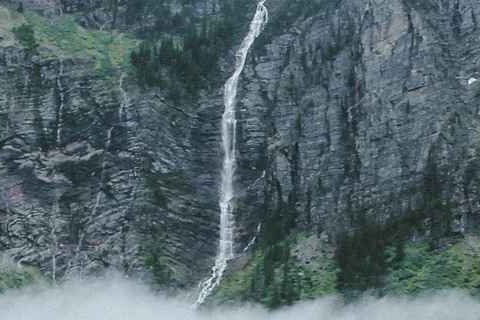
We compressed a 2250×1500 landscape photo, 2.82 MB as a camera JPEG at different quality settings, all at full size:
Quality 75 keeps 18% of the original size and looks the same at normal viewing size; below about 50, blocks and smeared detail start to show in skies and fine texture. More in how to reduce image size without losing quality.
Test photo: “Mountains around Avalanche Lake” by Linh Pham (CC0, via Unsplash). Sizes measured 2026-11-04 with this site's own encoder in Edge; other browsers produce slightly different sizes. Crops show the same 480×320 px region at 100%.
How much does resizing save? (measured)
A 2250×1500 landscape photo, 2.82 MB as a camera JPEG, resized and saved as JPEG quality 80:
Pixel width versus file size
Width × height
File size (JPEG 80)
Of the full-size file
2250 × 1500 px
611 KB
100%
1600 × 1067 px
300 KB
49%
1200 × 800 px
167 KB
27%
800 × 533 px
78 KB
13%
Halving the width removes three-quarters of the pixels, so the file shrinks to roughly a quarter. A 1200 px wide image is plenty for most web pages and email. More in the right image size for websites.
Test photo: “Mountains around Avalanche Lake” by Linh Pham (CC0, via Unsplash). Sizes measured 2026-11-04 with this site's own encoder in Edge; other browsers produce slightly different sizes. Crops show the same 480×320 px region at 100%.
How to compress a JPG file
Tap the box above (or drag and drop) to add one or more JPG files.
Check the output format and quality in the settings panel, or switch to Max file size for a KB limit.
Tap Process all — the new size and the percentage saved appear under each photo.
Download each file, or the whole batch as one ZIP.
Frequently asked questions
What JPG quality should I use?
70–85 for photos you will share or upload: the file is a fraction of the size and the difference is hard to see. Use 90+ only for photos you will edit or print large.
Can I compress a JPG to an exact size like 100KB?
Yes — switch the compression mode to Max file size and type the target, or use one of the presets: 100KB, 50KB, 20KB.
Does compressing a JPG again lose more quality?
Each re-save at a lower quality loses a little more detail. Start from the original photo when you can, and pick one final quality rather than compressing the same file repeatedly.
Is JPG or WebP smaller?
At the same quality setting WebP was 21% smaller in our test. Use WebP for websites, and JPG where compatibility matters (forms, email, older apps).
Related tools
Adjust photo
Redact / blur
Draw a box over anything you want permanently pixelated — a face, a plate, a document. No detection, just what you draw.