JPG vs PNG vs WebP: which format should you use?
Updated 4 November 2026
The right format can matter more than any quality slider. JPG and WebP are built for photos; PNG is built for sharp edges and exact colours. We saved two very different images — a photo and a screenshot — in each format to show the difference.
At a glance
| JPG / JPEG | PNG | WebP | |
|---|---|---|---|
| Compression | Lossy | Lossless | Lossy or lossless |
| Transparency | No | Yes | Yes |
| Best for | Photos | Screenshots, logos, text | Photos and graphics on the web |
| Accepted everywhere? | Yes | Yes | All browsers; some forms and older apps refuse it |
Test 1: a photo
| Photo saved as | File size | Of the original |
|---|---|---|
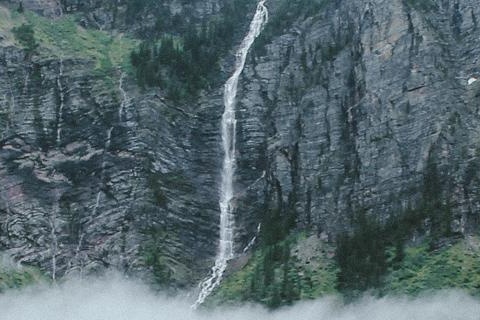
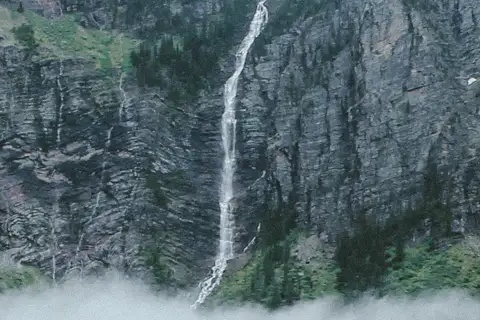
| Original camera JPEG | 2.82 MB | 100% |
| JPEG, quality 75 | 520 KB | 18% |
| WebP, quality 75 | 409 KB | 14% |
| PNG (lossless) | 7.68 MB | 272% |
For photographs PNG is the wrong choice — lossless storage of camera noise and texture made it 15× larger than a JPEG that looks identical. WebP beat JPEG by 21% at the same quality setting.
Test 2: a screenshot
| Screenshot saved as | File size | Text stays sharp? |
|---|---|---|
| PNG, as captured | 82 KB | Yes |
| PNG, re-saved in the browser | 126 KB | Yes |
| JPEG quality 80 | 83 KB | Slight halos around text |
| JPEG quality 60 | 59 KB | Slight halos around text |
| WebP quality 80 | 51 KB | Mostly |
| WebP lossless | 138 KB | Yes |
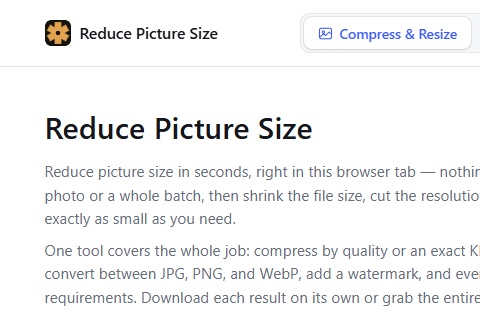
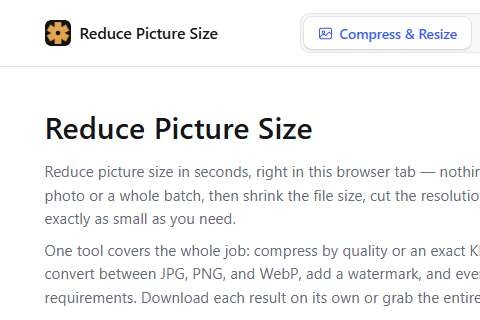
With text and flat colour the picture changes: JPEG at quality 60 saved little and left faint halos around letters, while lossy WebP was the smallest and stayed clean. Note that re-saving a PNG in a browser made it bigger (82 KB → 126 KB) — browsers don't apply the extra optimisation desktop PNG tools do.
Which one to use
- Photos for forms, email, or anything that must open everywhere: JPG (compress JPG).
- Photos and graphics on your own website: WebP (JPG to WebP).
- Logos, screenshots, images with transparency where WebP isn't accepted: PNG (compress PNG).
- iPhone HEIC photos: convert to JPG first — many sites can't read HEIC (HEIC to JPG).
Test photo: “Mountains around Avalanche Lake” by Linh Pham (CC0, via Unsplash). Sizes measured 2026-11-04 with this site's own encoder in Edge; other browsers produce slightly different sizes. Crops show the same 480×320 px region at 100%.
Frequently asked questions
Is WebP better than JPG?
For file size, yes — 21% smaller in our photo test at the same quality. But JPG is still the safe choice for government forms, email and older software.
Why is my PNG photo so big?
PNG stores every pixel exactly, including camera noise. Convert photos to JPG or WebP — they are built to discard detail you cannot see.
Does converting PNG to JPG lose quality?
A little, and transparent areas become a solid colour. For photos the change is invisible at normal quality settings; for screenshots with small text, prefer WebP.