How to compress an image to a specific KB size
Updated 4 November 2026
Exam portals, job sites and visa forms often cap uploads at 20 KB, 50 KB or 100 KB. You can't just pick a quality and hope: the size a quality setting produces depends on the photo. The reliable way is to search for the best result under the limit — which is what the Max file size mode on this site does.
How a KB target works
- It tries quality settings, homing in on the highest one whose file still fits under the limit.
- If that quality is too low to look good (below about 50), it reduces the pixel dimensions instead and searches again — a smaller sharp photo beats a full-size blocky one.
- If you set an exact pixel size (many forms require one), it keeps that size and only lowers the quality.
Measured results
| Target | Result | Dimensions chosen |
|---|---|---|
| 500 KB | 498 KB | 2250 × 1500 px (full size) |
| 200 KB | 199 KB | 1698 × 1132 px |
| 100 KB | 100 KB | 1201 × 800 px |
| 50 KB | 50 KB | 849 × 566 px |
| 20 KB | 20 KB | 517 × 344 px |
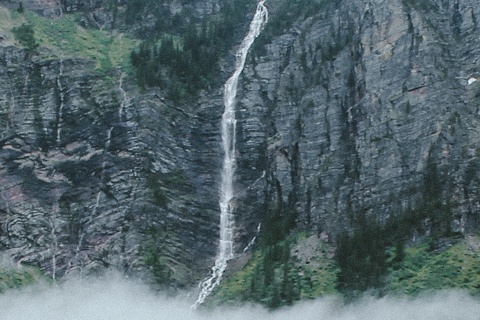
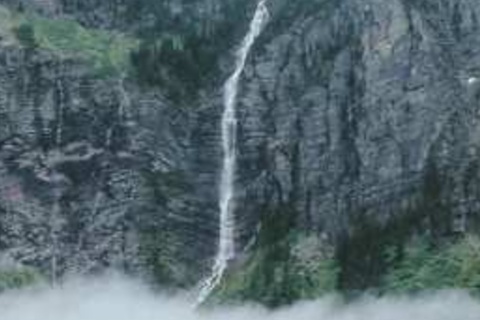
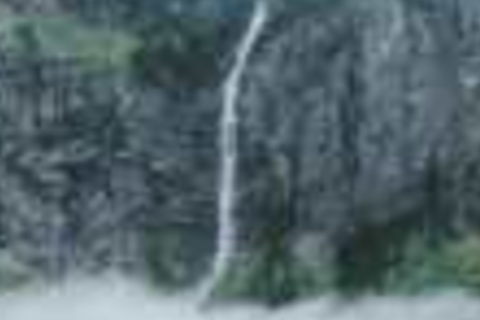
Down to about 200 KB the photo kept almost all its resolution. For 100 KB it settled at 1201 px wide, and for 20 KB at 517 px — still a clear, recognisable photo at the size a form displays it. The crops are enlarged to the original's scale, so they look softer here than at their real size.
Is 1 KB 1,000 or 1,024 bytes?
Both are in use, and a file of 50,500 bytes is "under 50 KB" by one reading and over it by the other. The presets on this site aim slightly under the limit (for example 48 KB for a 50 KB cap), so the file passes either way.
Tips for upload forms
- Check the pixel size too. Many forms (IBPS, SSC, passport portals) require exact dimensions as well as a KB range — set them under Resize → Exact.
- Mind the minimum. Some portals also reject files that are too small (for example under 10 KB). If a clean signature scan comes out too small, raise the quality or the pixel size.
- Use JPEG for forms. It is what almost every portal expects, and PNG can't reach small targets without shrinking a lot.
One-tap presets: 20 KB · 50 KB · 100 KB · 200 KB · 500 KB · 1 MB · exam photo & signature sizes.
Test photo: “Mountains around Avalanche Lake” by Linh Pham (CC0, via Unsplash). Sizes measured 2026-11-04 with this site's own encoder in Edge; other browsers produce slightly different sizes. Crops show the same 480×320 px region at 100%.
Frequently asked questions
Why does the form still say my photo is too large?
Either it counts 1 KB as 1,000 bytes (aim a little lower), or it also checks the pixel dimensions. Check both in the form's instructions.
How do I make a photo bigger in KB to reach a minimum?
Raise the quality (switch to Quality mode at 90–100) or increase the pixel size. Very plain images, like signatures on white paper, compress so well that they may need both.
Will a 20 KB photo look bad?
For a passport-style photo or signature at form size, no. A full landscape photo has to shrink to about 517 px wide to fit, which is fine on screen but too small to print.